Invoice Email Auto Send
Installation
Requirements
- Make sure you have FTP/SFTP access in order to copy the extension files to your Magento installation
You can now proceed with the installation as follows
- Navigate to "System → Cache Management" and disable/clear all Magento caches and disable the Magento compiler (if enabled).
- Upload the directory "app" (inside the src folder of your download package) to your Magento root directory ("app"⇒"app").
- If you are currently logged in to the Magento Admin, please log out and log back in so that your admin account receives the permissions required to edit the extension configuration.
- Recompile and re-enable the compiler if it was enabled before the installation. Navigate to "System → Cache Management" and refresh/enable all caches.
The installation process is now complete. The next step is to configure the extension.
Configuration
Navigate to "System → Configuration → Sales Emails". There should be a new section called "Auto Send Invoice for Payment Methods"
In this section, you can make various settings
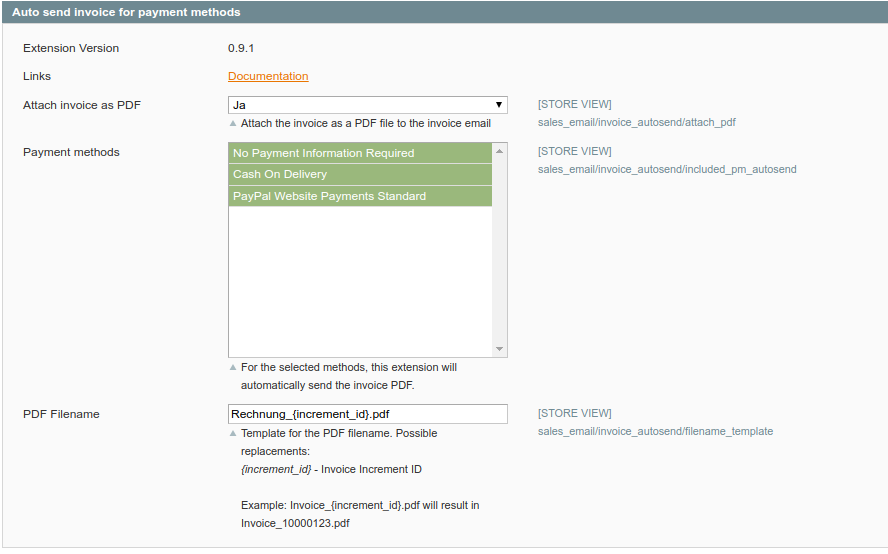 After you have made your settings, the transactional email with the invoice PDF as an attachment will be sent when the invoice is created