Customer Group Assignment
Automatic customer group assignment is optional. Thanks to the dynamic tax class, you apply the correct tax independently of the customer group – so you do not need to sort customers into "tax-exempt" groups and keep the groups free for other purposes (e.g. discount tiers). If you still want to use the assignment (for example for an ERP integration), you configure it here under Stores → Configuration → (Sales) EU VAT Enhanced → Group assignment.
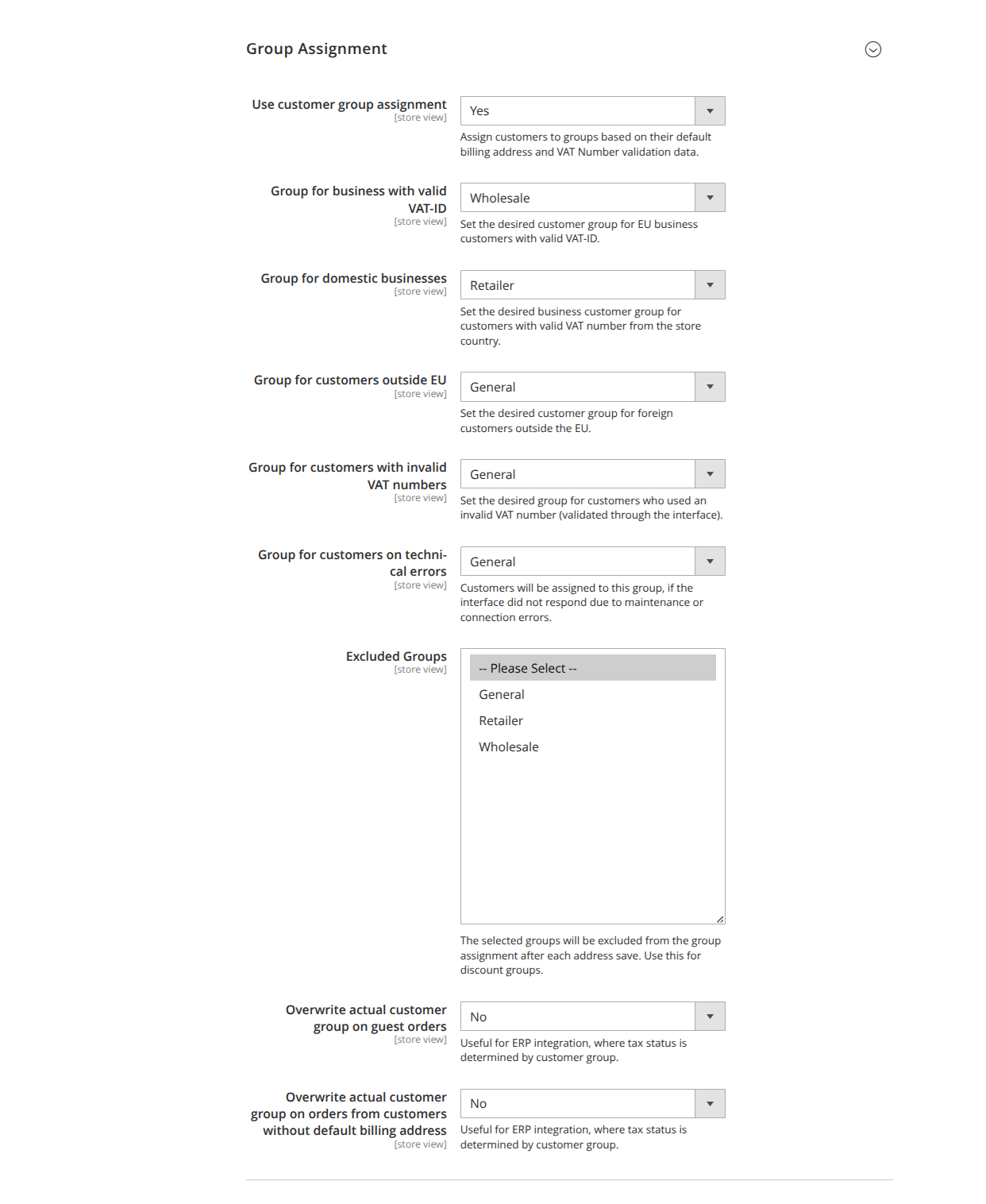
- Use customer group assignment (
use_group_assignment, default: No): Assigns customers to a group after each address save based on the default billing address and the VAT ID validation.
Target groups
The following fields are visible only when the assignment is enabled:
| Field | Situation |
|---|---|
Group for businesses with a valid VAT ID (target_group_eu) |
EU business customers with a valid VAT ID |
Group for domestic businesses (target_group_domestic) |
Valid VAT ID from the domestic country |
Group for customers outside the EU (target_group_outside) |
Customers from third countries |
Group for customers with invalid VAT IDs (target_group_invalid) |
Checked as invalid via the interface |
Group for customers in case of technical errors (target_group_errors) |
Interface unreachable due to maintenance/connection |
Exceptions and special cases
-
Excluded groups (
excluded_groups): Customers in these groups are excluded from automatic assignment – ideal for discount groups. -
Override the current customer group for guest orders (
assign_customergroup_on_guest_order, default: No): Guest orders normally run under "NOT LOGGED IN". Enable this option, for example, for an ERP integration where the tax status is determined by the customer group. -
Override the actual customer group for orders from customers without a default billing address (
assign_group_without_default_billing_order): As above, but for customers without a stored default billing address.