Revalidation
Successfully validated VAT IDs are cached in a dedicated database table (vat_validation). This significantly reduces the number of requests to the interface – faster for the customer and gentler on your server IP, which could otherwise be blocked if too many requests are made. The settings are located under Stores → Configuration → (Sales) EU VAT Enhanced → Periodic revalidation.
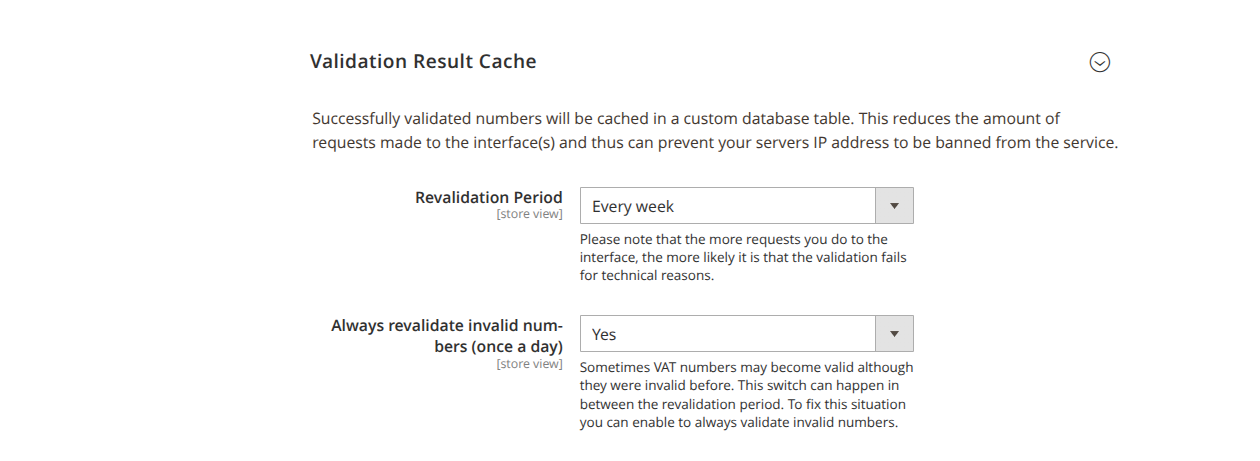
Revalidation period
Revalidation period (validation_period) determines how long a stored result is reused before it is checked online again:
| Option | Value |
|---|---|
| Every day | 0.0334 |
| Every week | 0.2334 |
| Every month | 1 |
| Every 3 months | 3 |
| Every 6 months | 6 |
| Every year | 12 |
The default is Every week (0.2334); Every month is recommended.
Revalidation is triggered, among other things, at customer login, so that expired results are refreshed in good time.
Revalidate invalid numbers daily
Always revalidate invalid numbers (once per day) (always_retry_invalid, default: Yes): VAT IDs can become valid even though they were previously invalid – for example, when a new registration had not yet propagated in the register. This option revalidates invalid numbers once a day (e.g. at login), without undermining the regular revalidation period.
Address data from the validation response
For valid numbers, the interface partly returns the registered company name and address. Under Management of customer address data (experimental), you control their adoption:
- Overwrite company name (
overwrite_company_name, default: No): Overwrites the company name of new customer addresses with the name from the validation response. The customer can then change it again – provided the following option is not active. - Disable changes to the company name (
disable_company_field, default: No): Locks the company field and enforces the use of the data from the validation service.