Configure Magento automatically for EU VAT
You should make sure that your Magento instance is configured ideally for the requirements of VAT calculation. To achieve this, we recommend a standard configuration as provided by our optional, automatic setup. It installs the most important tax rules in Magento, but the existing configuration is overwritten in the process. This is why the extension can also be integrated very easily into an existing setup.
Please note that the automatic setup only provides a standard configuration. It does not cover every possibility within all EU countries, and you should therefore check whether country-specific requirements still need to be integrated. These could, for example, be regional or postcode-based differences in the tax rates.
Automatic Setup
Based on the entered values, the setup will detect the domestic country accordingly and set it, together with your own VAT ID, in the Magento standard configuration. In addition, tax rules are created to calculate the necessary tax rates for various combinations of product and customer tax classes.

On the setup page, you now fill in the values with your data.
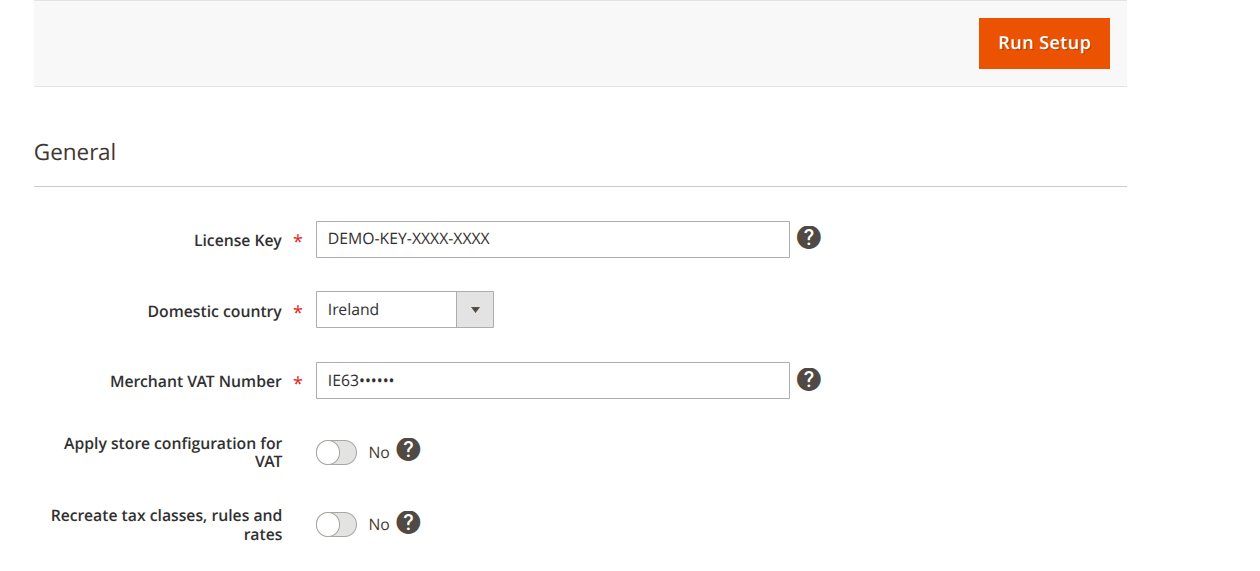
Explanation of the individual fields
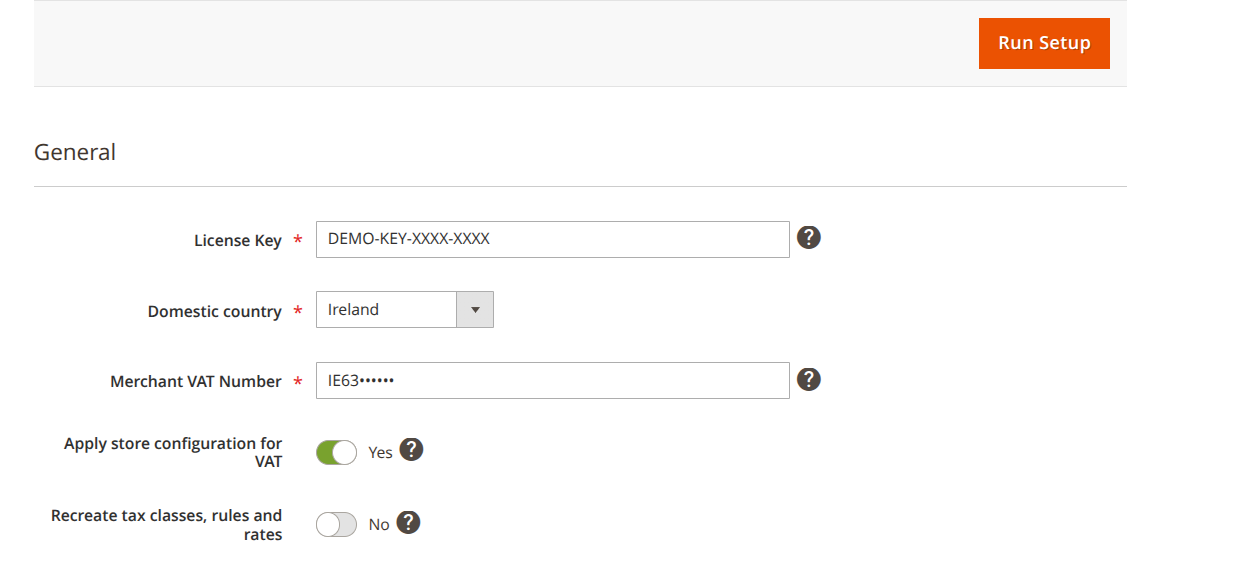
License keyYou receive the license key via your customer account in the "Downloads and license keys" section. Please use the same license key for all installations (i.e. in all developer instances, staging and test environments as well as the production instance).Domestic countryHere, please select the country in which you have your headquarters, or the country from which you ship.Merchant's VAT IDPlease enter your own VAT ID here. It is used for requests to the respective validation interface.Apply store configuration for VATWith this switch, the setup routine sets certain settings in the Magento configuration. You can see which values are set in the following table.
| Store config path | Value |
|---|---|
general/country/defaultgeneral/store_information/country_idtax/defaults/countryshipping/origin/country_id |
Is set to the selected domestic country |
general/store_information/merchant_vat_number |
Your own VAT ID is stored in this field. |
tax/classes/shipping_tax_class |
Is set to the new default shipping tax class |
tax/calculation/based_on |
Is set to the value "Shipping address" in order to be able to calculate the tax rates of the respective delivery country |
customer/create_account/auto_group_assign |
The most important setting for compatibility with our module. It is set to "No" here in order to disable the VAT ID validation and customer group assignment included in Magento. |
customer/create_account/vat_frontend_visibility |
So that the input field for the VAT ID is generally visible on the customer side in the frontend, the value "Yes" is set here. |
customer/address/taxvat_show |
To avoid confusion with the various fields for tax numbers in Magento, the value is set to "No". The Tax/VAT field cannot be used for EU VAT IDs and is intended for personal or national tax numbers. |
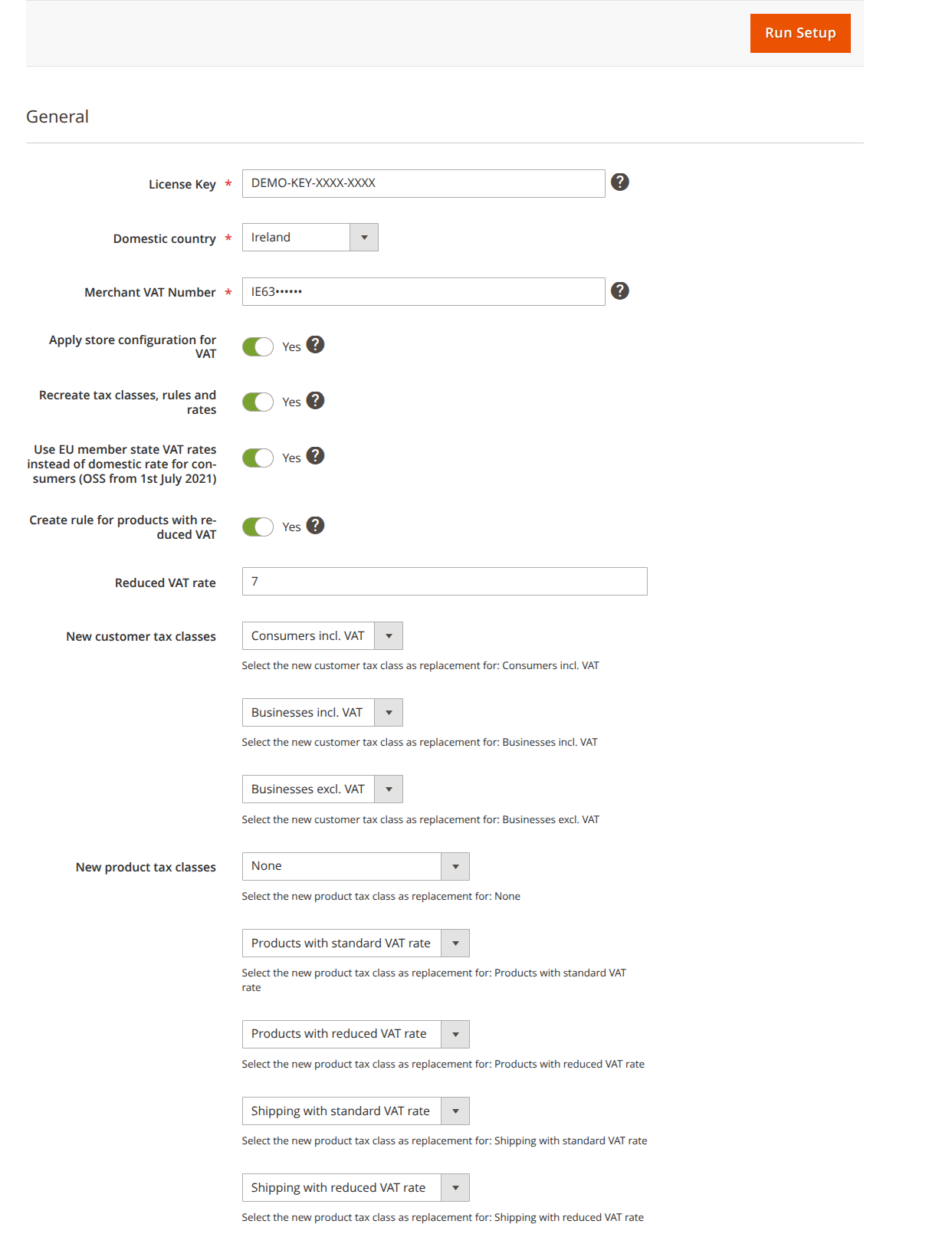
Recreate tax classes, rules and ratesThis switch causes all existing tax rules, rates and classes to be overwritten with our standard setup. If you have already created the tax rules yourself and the required tax classes and rates are already in place, you can also use those. It is not strictly necessary to use our standard setup.Use the VAT rates of the EU member states (OSS as of 1 July 2021)Enable this switch to calculate the respective tax rates of the EU countries (AT 20%, NL 21%, DE 19%, etc.) instead of the domestic tax rate.Create a rule for products with reduced VATWhen this switch is enabled, additional tax classes, rates and rules are created for applying reduced tax rates.
So that the intended purpose of the various tax classes can be determined, the setup routine needs to know which old values correspond to the new ones.
Be sure to make sure that all existing classes are mapped to the new ones in a meaningful way. This is done via the assignment of existing, old values to the new ones.
New tax classes for customersSince every Magento installation already contains various tax classes by default, the old tax class IDs must be replaced with the new ones. Here you select, for each customer tax class, the matching new customer tax class so that the old values in the database can be updated.New product tax classesThe same procedure applies here as for the customer tax classes.
Now you can click [Run Setup] to run the setup. After the setup has completed successfully, you are redirected to the configuration page so that you can adjust further settings if necessary. The explanation of the individual settings can be found in the next section.
If you did not use one of the two options Apply store configuration for VAT or Recreate tax classes, rules and rates, please continue following the instructions for the manual configuration.