Tax Info Display
Here you control two display aspects: the tax notice below the product price and the price display type per customer group. Both are located under Stores → Configuration → (Sales) EU VAT Enhanced.
Tax info line below the product price
Product Price Tax Info Line section (not translated in the admin). Displays a line below the price that informs about the included or added tax. Several EU price labeling regulations require such a notice next to consumer-facing prices.
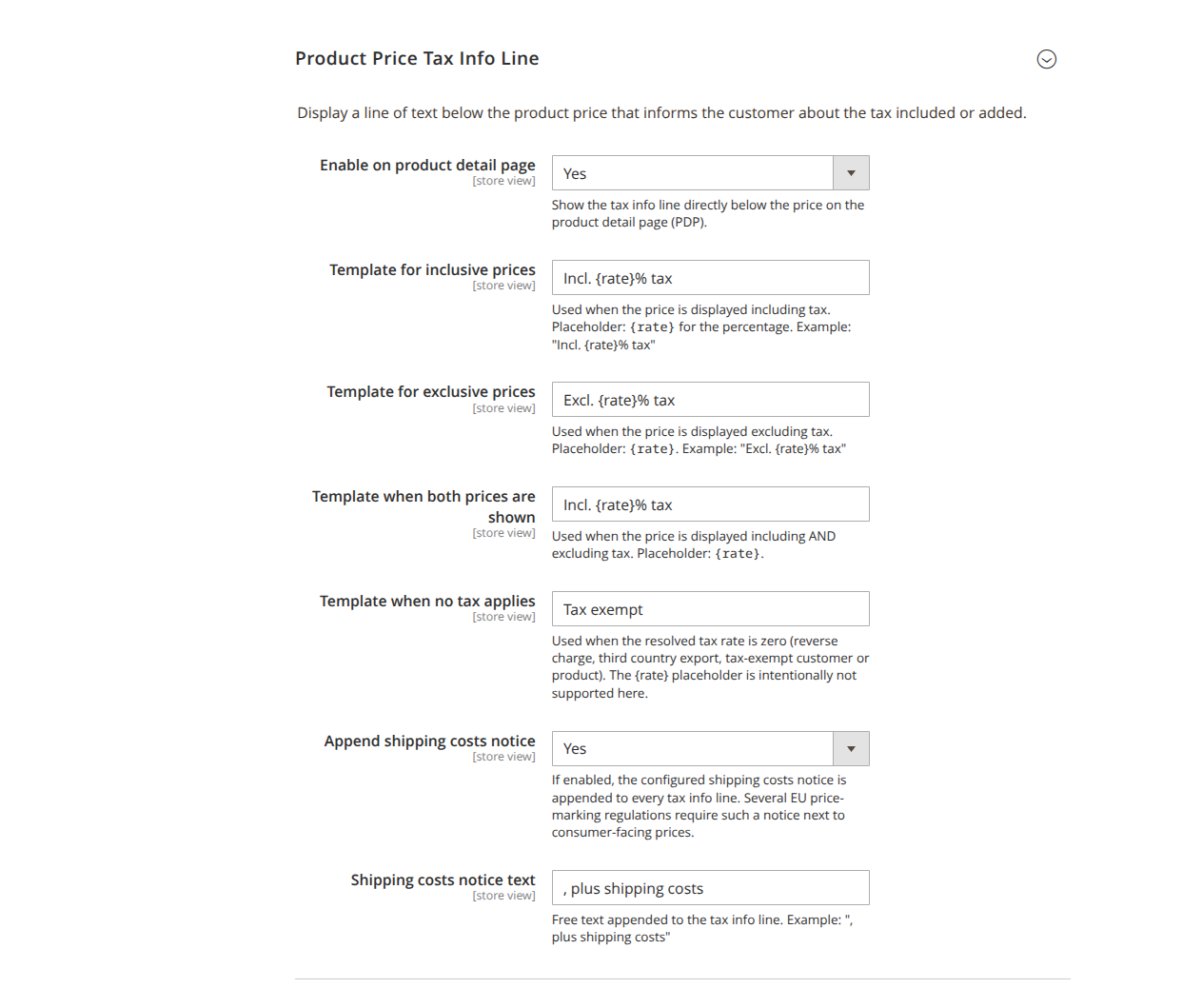
- Enable on product detail page (
pdp_enabled, default: No): Displays the tax info line directly below the price on the product detail page (PDP). (Not translated in the admin.) - Template for gross price display (
template_incl, default:Incl. {rate}% tax): Used when the price is displayed incl. tax. Placeholder{rate}= percentage. - Template for net price display (
template_excl, default:Excl. {rate}% tax): When displayed excl. tax. - Template when both prices are displayed (
template_both, default:Incl. {rate}% tax): When displaying incl. and excl. tax simultaneously. - Template when no tax applies (
template_zero, default:Tax exempt): When the resolved tax rate is 0% (reverse charge, third-country export, tax-exempt customer/product). The placeholder{rate}is deliberately not supported here. - Append shipping costs notice (
shipping_suffix_enabled, default: Yes): Appends the configured shipping costs notice to each tax info line. - Text of the shipping costs notice (
shipping_suffix, default:, plus shipping costs): Free text, visible only when the notice is enabled. Example:, plus shipping costs.
Price display type by customer group
Price display type by customer group section. Controls the display type (incl./excl.) per customer group – not whether the prices actually include tax. Without a rule, the Magento default values under Stores → Configuration → Tax apply. If a group is named more than once in a rule set, the first occurrence applies.
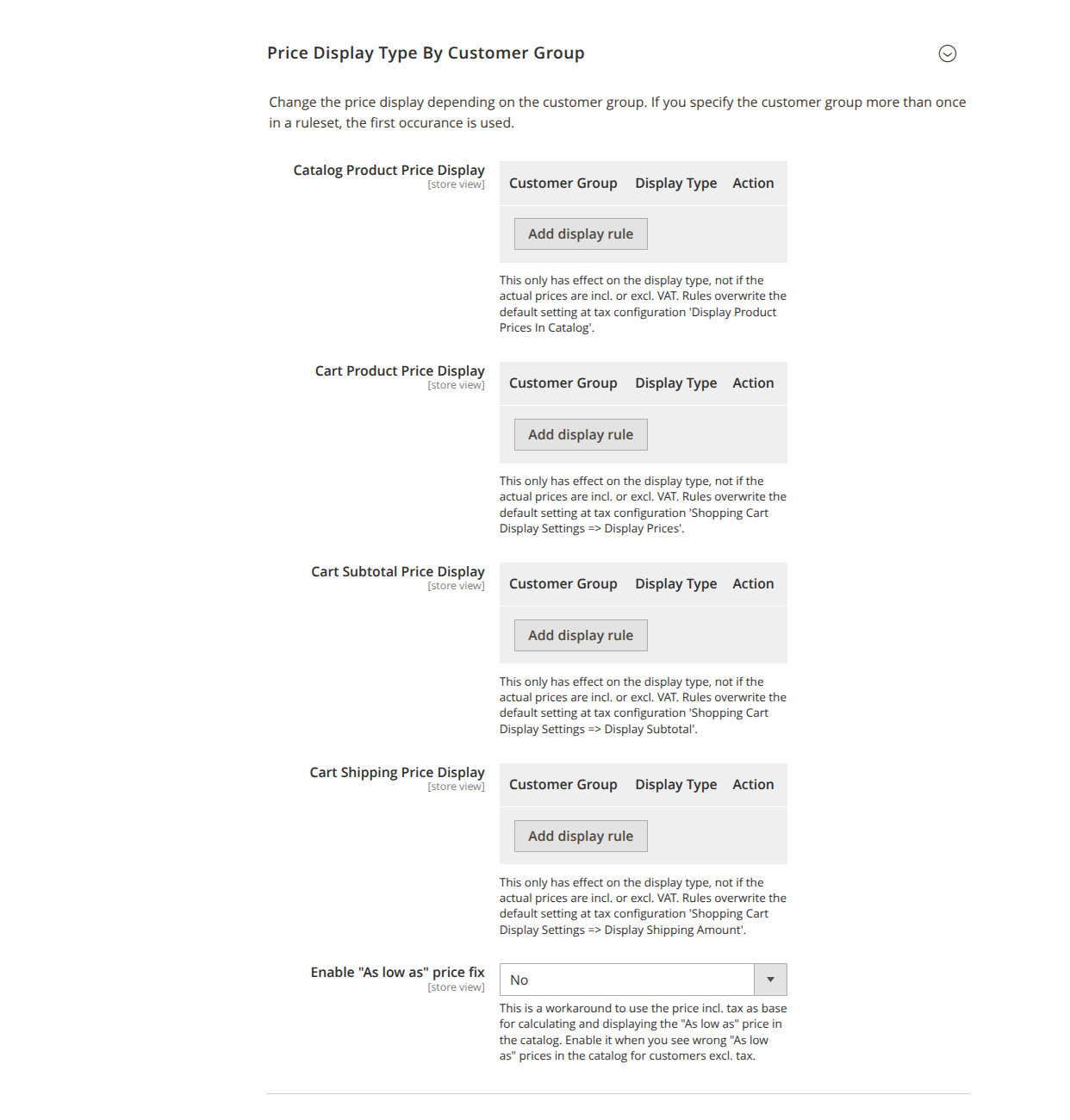
- Catalog product price display (
catalog_price_display): overridesDisplay Product Prices In Catalog. - Cart product price display (
cart_product_price_display): overridesShopping Cart Display Settings → Display Prices. - Cart subtotal price display (
cart_subtotal_price_display): overridesDisplay Subtotal. - Cart shipping price display (
cart_shipping_price_display): overridesDisplay Shipping Amount. - Enable As low as price correction (
aslowas_pricefix, default: No): Workaround that uses the price incl. tax as the basis for the "As low as" price in the catalog. Enable it if incorrect "As low as" prices appear for customers without tax.