Interface & Validation
This section controls the interface configuration, how outages are handled, and whether further country-specific interfaces are used. All fields can be found under Stores → Configuration → (Sales) EU VAT Enhanced.
Interface settings
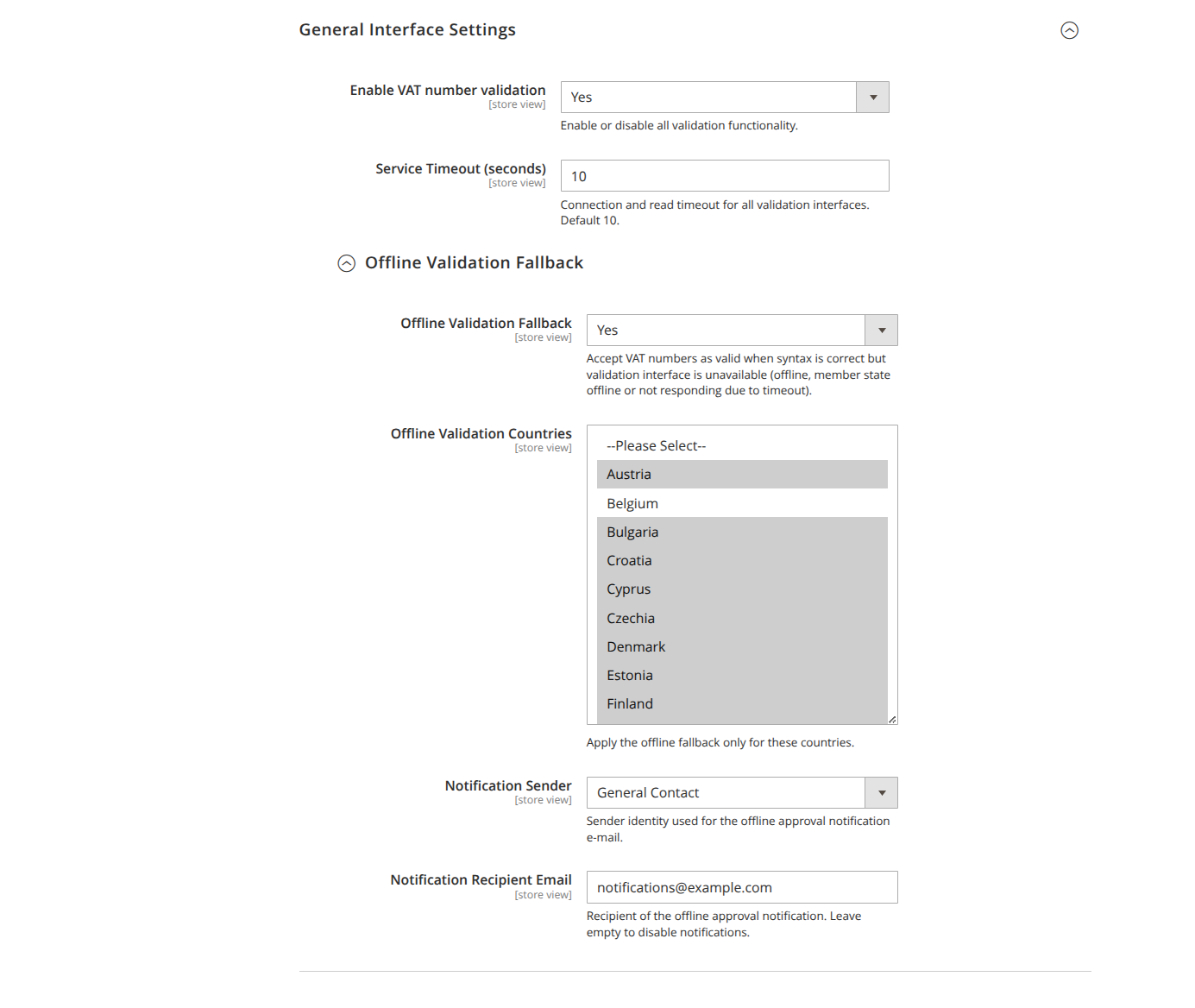
- Enable VAT field functionality (
enable_vat_validation, default: Yes): Enables or disables all validation features. When set to "No", numbers are neither checked online nor validated syntactically. - Offline validation fallback (
use_offline_validation, default: No): Accepts a VAT ID as valid as long as the syntax is correct but the interface is unreachable (offline, member state offline, or timeout). The number can later be revalidated online automatically. - Offline validation countries (
offline_validation_countries, default: all EU countries): Restricts the offline fallback to the selected countries. Visible only when the fallback is enabled. - Notification Sender (
offline_notification_sender, default: General Contact): Sender identity used for the e-mail notification when a VAT ID has been approved through the offline fallback. - Notification Recipient Email (
offline_notification_recipient, default: empty): Recipient of that notification. Leave empty to disable it.
VIES interface
EU-wide validation is performed via VIES (referred to as MIAS in Germany). VIES is currently the only implemented interface.
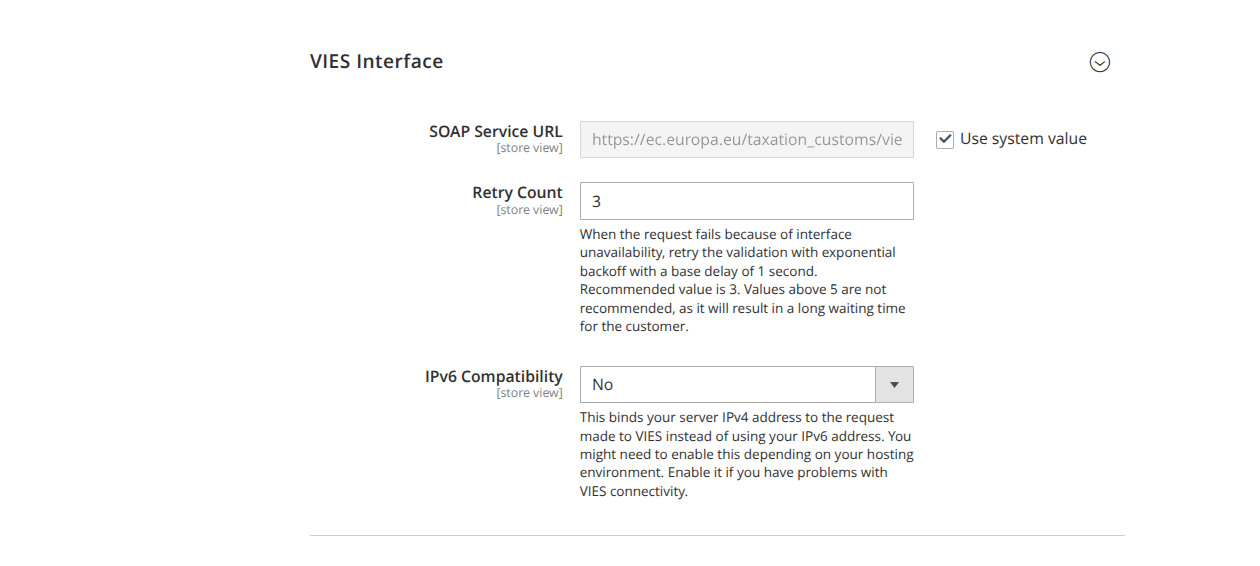
- SOAP Service URL (
soap_url, default:https://ec.europa.eu/taxation_customs/vies/services/checkVatService.wsdl): Endpoint of the VIES SOAP service. Only change this value if the official URL has demonstrably changed. The field can be reset via "Use Default". - Retry count (
retry_count, default: 3): If a request fails due to unavailability, the validation is retried with exponential backoff (base delay 1 second). The recommended value is 3. Values above 5 are not recommended, as they lead to long waiting times for the customer. - IPv6 compatibility (
ip_compat, default: No): Binds the outgoing request to your IPv4 instead of your IPv6 address. Enable this option if you experience connection problems with VIES – some interfaces still have issues with IPv6. - Your server's IPv4 address (
ipv4_address): The IPv4 address to use (e.g.192.168.100.10). Visible and required only when IPv6 compatibility is enabled; the field is validated against a valid IPv4 address.
Requester's VAT ID
- Requester's VAT ID (
requester_vat_number, in the VAT settings section): Your own VAT ID. It must belong to the configured domestic country and is sent with every validation request. VIES then returns a request identifier – proof that the requester checked the number at a specific point in time.
Norway interface
Optional treatment of Norway (MVA) as an EU-equivalent country for the reverse-charge procedure.
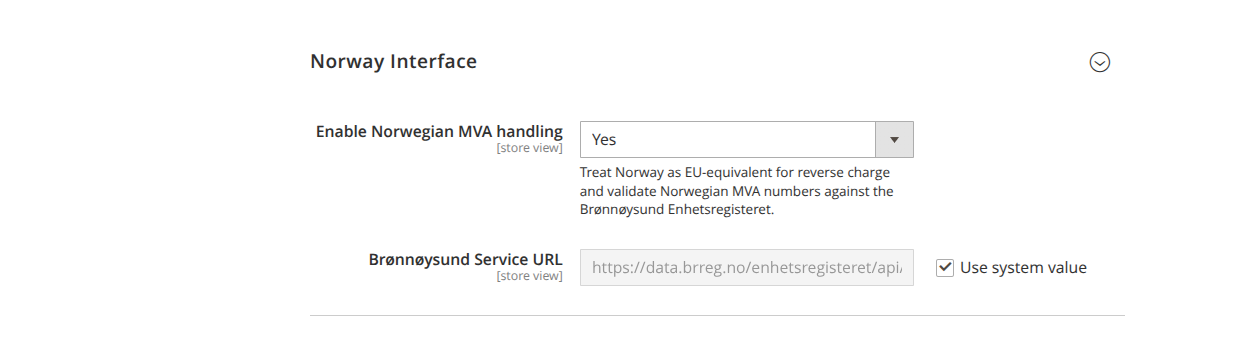
- Enable Norwegian MVA treatment (
norway_settings/enabled, default: No): Treats Norway like an EU country for reverse charge and validates Norwegian MVA numbers against the Brønnøysund Enhetsregisteret. - Brønnøysund service URL (
norway_settings/service_url, default:https://data.brreg.no/enhetsregisteret/api/enheter/): Endpoint of the Norwegian register. Visible only when Norway treatment is enabled; resettable via "Use Default".