VAT ID Field
These settings control where and how the VAT ID input field behaves in the frontend and in the admin area. They are located under Stores → Configuration → (Sales) EU VAT Enhanced → Integration.
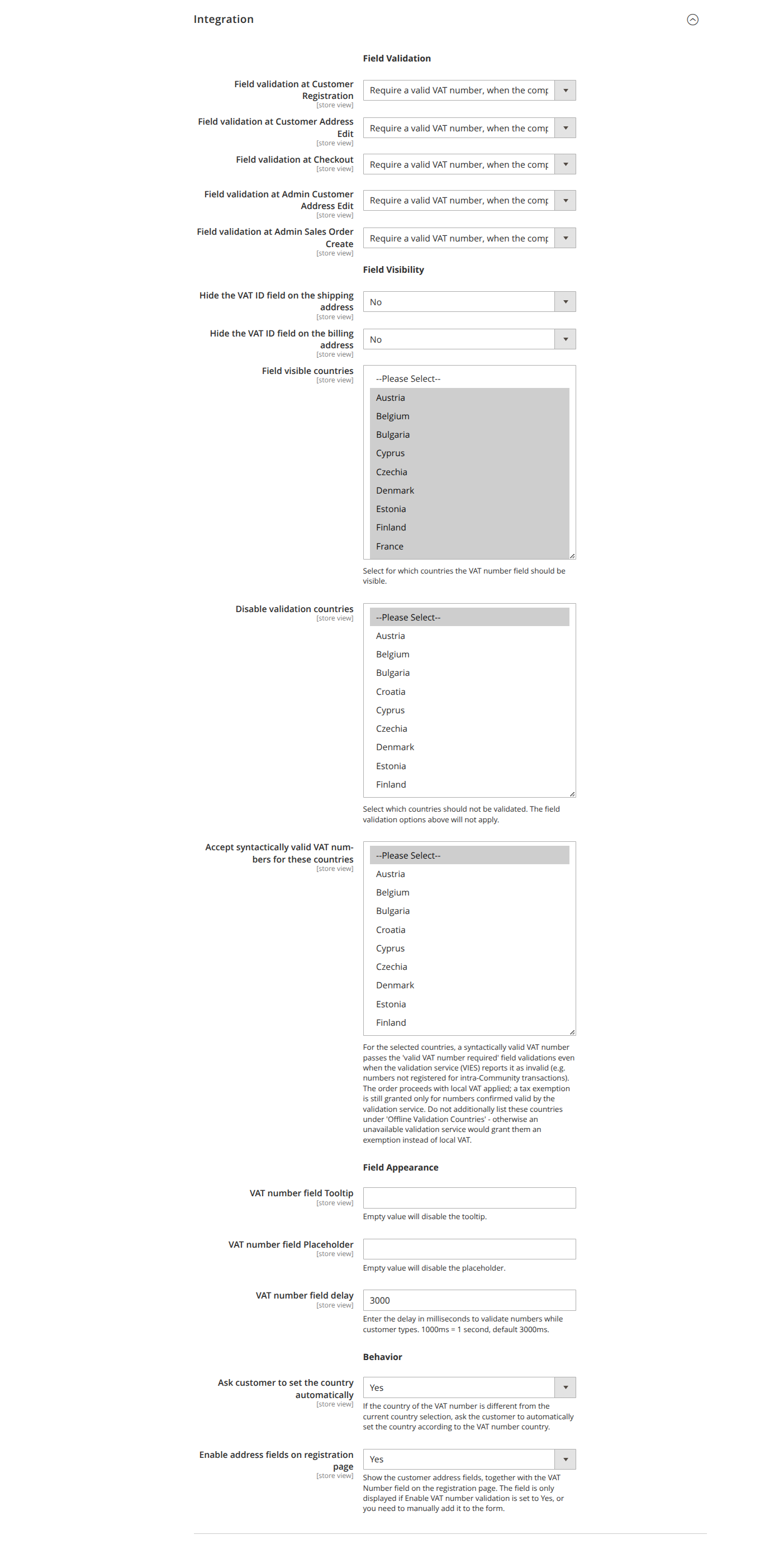
Field validation per context
For five contexts, you set independently how strictly the field is validated:
- Field validation at customer registration (
field_validation_registration) - Field validation at customer address edit (
field_validation_addressedit) - Field validation at checkout (
field_validation_checkout) - Field validation at Admin Customer Address Edit (
field_validation_admin_address) – admin address edit (not translated in the admin) - Field validation at Admin Sales Order Create (
field_validation_admin_order) – admin order creation (not translated in the admin)
All five use the same options (default in each case: Optional, but requires a valid VAT ID when filled in):
| Value | Option (admin label) |
|---|---|
| (empty) | Optional |
valid-vat-if-specified |
Optional, but requires a valid VAT ID when filled in |
valid-vat-required |
A valid VAT ID is required (validated by the validation service) |
valid-vat-if-company-specified |
Requires a valid VAT ID if the Company field is filled in |
required-entry |
Required (accepts any value) |
Visibility of the field
- Hide the VAT ID field on the shipping address (
hide_on_shipping, default: No) - Hide the VAT ID field on the billing address (
hide_on_billing, default: No) – hide the field on the billing address (not translated in the admin). - VAT ID field visible for these countries (
visible_countries, default: all EU countries): For which countries the field is displayed. Only countries that are configured as "Allow Countries" underStores → Configuration → General → Countries Optionsappear. - Do not validate numbers from these countries (
disable_validation_countries): For the selected countries, no validation takes place; the field validation options above do not apply there – the number is accepted unchecked (the field effectively behaves like Optional there). - Accept syntactically valid VAT numbers for these countries (
accept_syntactically_valid_countries, default: empty): For the selected countries, a syntactically valid VAT ID passes the "valid VAT ID required" checks even when the validation service (VIES) reports it as invalid. Unlike Do not validate numbers from these countries, the requirement and syntax check remain in place (empty or syntactically incorrect entries are still rejected). The order proceeds, but local VAT is charged – a tax exemption (reverse charge) is still only granted for a number confirmed valid by the validation service. The match is based on the address country. It is primarily intended for domestic numbers (prefix = customer's country) that are nationally valid but not registered for intra-Community transactions (e.g. certain schools, associations, organisations). It applies to every selected country.
Appearance
- VAT ID field tooltip (
field_tooltip, default: empty): Help text on the field. An empty value disables the tooltip. - VAT ID field placeholder (
field_placeholder, default: empty): Placeholder text in the field. An empty value disables the placeholder. - Delay in the VAT ID field (
field_delay, default: 3000 ms): Waiting time before the input is checked while typing (1000 ms = 1 second).
Behavior
- Ask the customer whether the address country should be adjusted automatically (
ask_customer_country_correction, default: Yes): If the country of the VAT ID differs from the selected country, a confirmation popup asks whether the country should be set according to the VAT ID prefix. This avoids errors when the default country has not been changed. - Enable address fields on the registration page (
show_address_on_regpage, default: No): In addition to the VAT ID, displays the address fields on the registration page so that customers can be assigned to the appropriate group directly upon registration. The field only appears when VAT ID validation is enabled – otherwise it must be embedded into the form manually.